
Lectures & studying
Turn any lecture video into notes you can study from
Upload a class recording or paste a YouTube lecture. Bump AI watches all of it, slides included, then writes chapters, study guides and quizzes that point to the exact minute.
60 free minutes every month · First upload free to preview · No credit card needed
Real output
See it on a real video
The chapters Bumpups wrote for a public video, and its answer to one question.
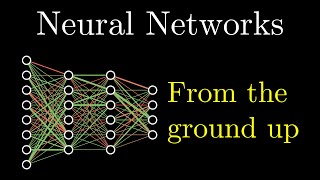 18:40
18:40But what is a neural network?
3Blue1Brown
Timestamps
0:00Introduction to Neural Networks
2:43Structure of a Neural Network
5:32Why Neural Networks Use Layers
8:51How Weights and Biases Work
13:26Representing Connections with Matrix Math
15:17Neural Network as a Function
17:03Sigmoid vs. ReLU Activation Functions
Make a short study guide with timestamps: the key ideas, in order.

Here is a short study guide of the key ideas covered in the video, in order:
- Neurons and activations (2:43): a neuron is a container holding a number between 0 and 1, its "activation". The first layer's 784 neurons are the grayscale values of the 28×28 pixels.
- Network structure (3:45): an input layer, "hidden layers" and an output layer. The 10 output neurons stand for the digits 0–9; their activation is the network's confidence.
- Why layers (5:32): early layers pick out edges, later layers combine them into loops and lines, and the last layer uses those patterns to name the digit.
- Weights (8:51): each connection has a weight, and a neuron takes the weighted sum of the previous layer's activations.
How it works
Add the lecture
Upload the recording (MP4, MOV or WebM) or paste the YouTube link.
Get the chapters
Bump AI breaks the lecture into chapters with times, so you can jump to any topic.
Study with it
Ask for a study guide, a quiz or a simpler explanation. Every answer cites the minute.
Ask it anything
A few of the questions people ask. Every answer points to the moment in the video.
Lectures & studying: common questions
Yes. For uploads and longer videos Bump AI also describes what is on screen, so slides, diagrams and code count too.
Free covers YouTube videos up to your 60 monthly minutes, and your first upload (up to 30 minutes) is a free preview. Pro handles lectures up to 3 hours 30 minutes.
Yes. Ask your videos answers one question across every lecture you have added, and points to the lecture and minute.
Yes. Export the chapters, the transcript, subtitles or your chats from any workspace.
Bumpups is also used for
Teachers & lesson videos
Find the moments that matter in a lesson recording, with timestamps for reflections and evidence.
Coaches & game film
Break down game film and practice videos into coaching points, with the moment for each one.
YouTube creators & podcasters
Chapters, show notes, descriptions and clip ideas for every episode or video.
Meetings & webinars
Decisions, action items and summaries from recorded meetings, with the minute they were said.
Interviews & research
Every answer, quote and theme from interview recordings, with timestamps to cite.
Try it on your own recording
60 free minutes every month · First upload free to preview · No credit card needed