
YouTube creators & podcasters
Chapters, show notes and clips for every episode
Paste your YouTube link or upload the episode. Bump AI writes chapters that YouTube accepts, then show notes, descriptions and the moments worth clipping, all with timestamps.
60 free minutes every month · First upload free to preview · No credit card needed
Real output
See it on a real video
The chapters Bumpups wrote for a public video, and its answer to one question.
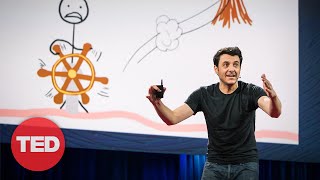 14:04
14:04Inside the mind of a master procrastinator
Tim Urban · TED
Timestamps
0:00A story about college thesis deadlines
1:23Writing a 90-page thesis in three days
2:56Understanding the procrastinator's brain
4:09The Instant Gratification Monkey
6:07The Dark Playground
7:27The Panic Monster
8:58Preparing for a TED Talk
10:55Two types of procrastination
13:03The Life Calendar and final thoughts
Pull 5 quotable moments with timestamps that would make good short clips.

Here are quotable moments from the video that would make great short clips:
- The Instant Gratification Monkey (5:04–5:15): "He lives entirely in the present moment. He has no memory of the past, no knowledge of the future, and he only cares about two things: easy and fun."
- The Dark Playground (6:44–6:56): "It's where leisure activities happen at times when leisure activities are not supposed to be happening."
- The Panic Monster (7:35–7:52): "He suddenly wakes up anytime a deadline gets too close or there's danger of public embarrassment… and he's the only thing that the monkey is terrified of."
How it works
Add the episode
Paste the YouTube link or upload the file before you publish.
Copy the chapters
Timestamps start at 0:00 and follow YouTube’s rules, so they show up as chapters.
Repurpose it
Ask for show notes, a description, clip ideas or a newsletter, in 11 languages.
Ask it anything
A few of the questions people ask. Every answer points to the moment in the video.
YouTube creators & podcasters: common questions
Bumpups chapters start at 0:00, keep each chapter at least 10 seconds long and stay inside the video, which is what YouTube needs. Check any list with our free chapter checker.
Yes. Download it as text or as SRT or VTT subtitles from the Export menu.
Pro includes Creator Studio, which uploads and schedules videos to your channel with their timestamps.
Yes, for any video podcast on YouTube or any episode file you upload.
Bumpups is also used for
Lectures & studying
Study guides, notes and quizzes from lecture recordings, with the minute each idea comes up.
Teachers & lesson videos
Find the moments that matter in a lesson recording, with timestamps for reflections and evidence.
Coaches & game film
Break down game film and practice videos into coaching points, with the moment for each one.
Meetings & webinars
Decisions, action items and summaries from recorded meetings, with the minute they were said.
Interviews & research
Every answer, quote and theme from interview recordings, with timestamps to cite.
Try it on your own video
60 free minutes every month · First upload free to preview · No credit card needed